How it works
Up and running in three steps
Popup lives inside your browser — no separate app, no tab-switching.
Create an account
Sign up with your email above.
Create a free account
Continue with Google
or
Email
Password
Create account →
Install the extension
Add Popup to Chrome from the Web Store. It activates automatically whenever you visit depop.com — nothing else to configure.

Popup
★★★★★ 4.9
Chrome Web Store · Free
Add to Chrome
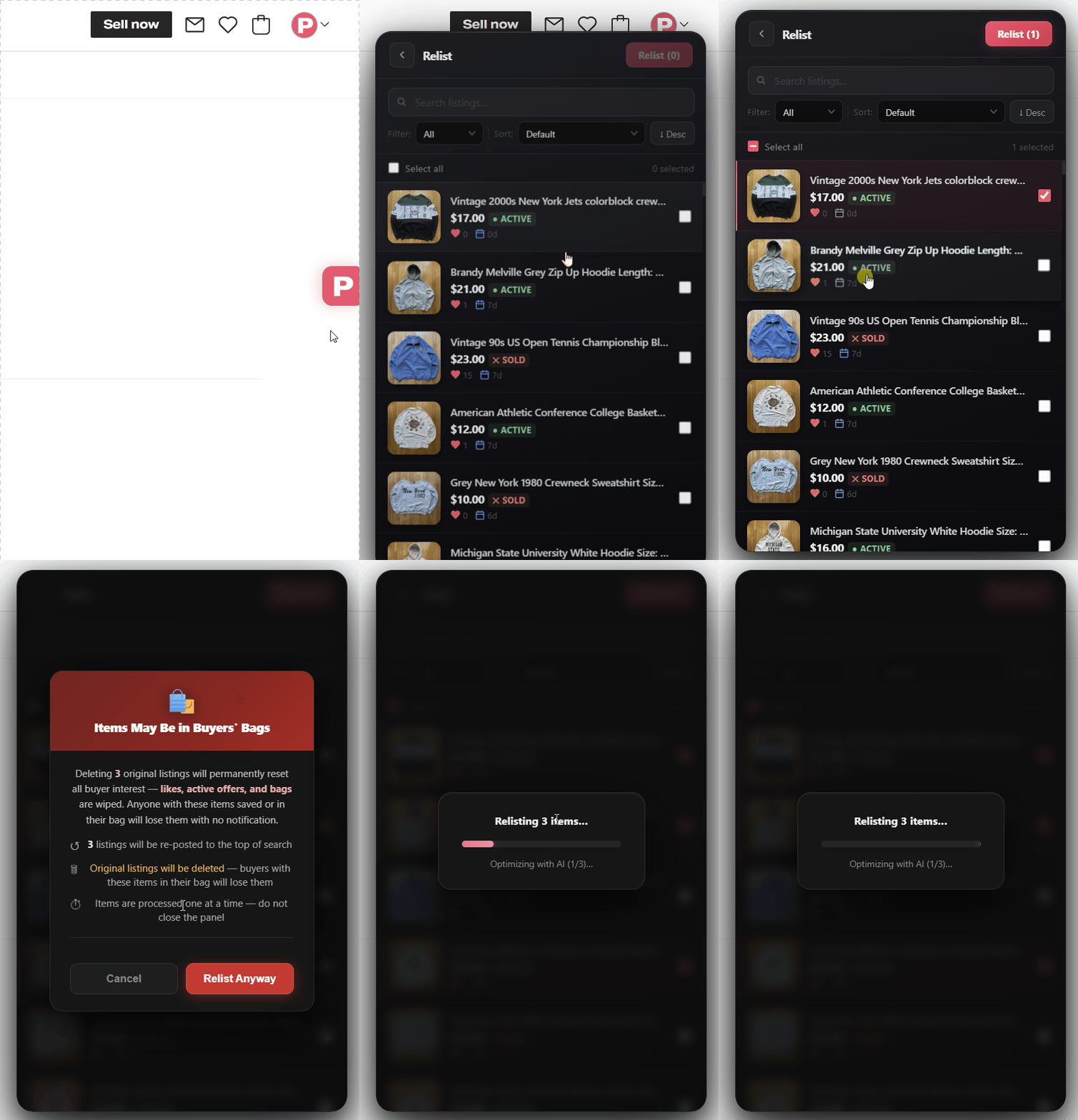
Select, relist, done
Click the ↺ tab on the right edge of any Depop page. Sign in, select your listings, and hit Relist. Done in seconds.